
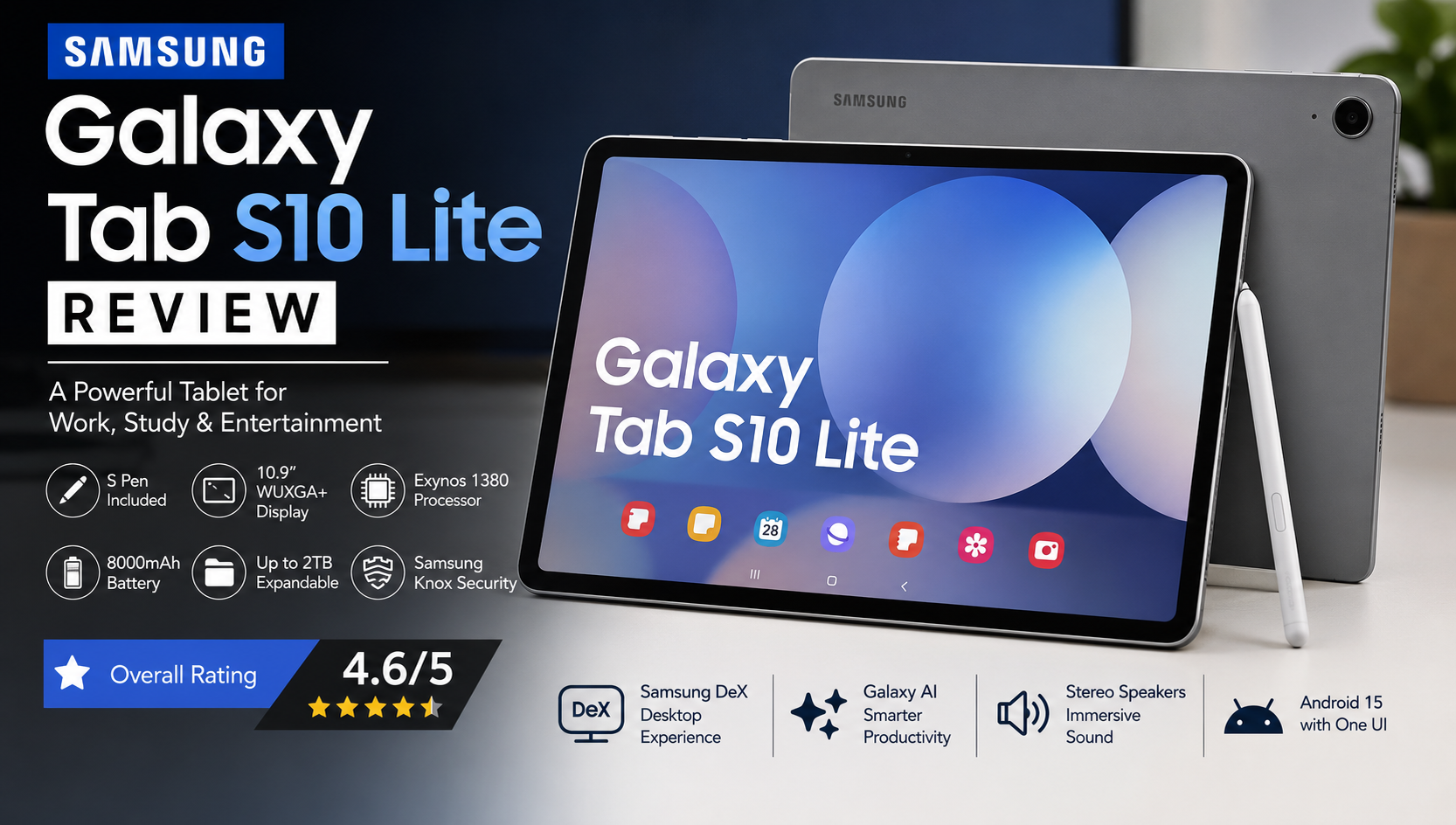
Samsung Galaxy Tab S10 Lite Review: Is Samsung’s New Mid-Range Tablet Worth Buying in 2026?
Samsung Galaxy Tab S10 Lite Review
Samsung has expanded its tablet lineup with the Samsung Galaxy Tab S10 Lite, targeting users who want premium Samsung features without paying flagship prices. Positioned between the affordable Galaxy Tab A series and the premium Galaxy Tab S10 lineup, this tablet offers a balance of performance, productivity, and entertainment.
In this Samsung Galaxy Tab S10 Lite Review, we’ll examine every aspect of the tablet, including its design, display quality, processor performance, battery life, S Pen experience, cameras, software features, and overall value. Whether you’re a student, professional, artist, or casual media consumer, this review will help you decide if the Galaxy Tab S10 Lite is the right tablet for your needs.
Samsung Galaxy Tab S10 Lite Overview
The Samsung Galaxy Tab S10 Lite is designed for users who need a capable Android tablet without stepping into premium pricing. Samsung focuses on productivity by including the S Pen in the box while also offering a large display, expandable storage, long battery life, and One UI software enhancements.
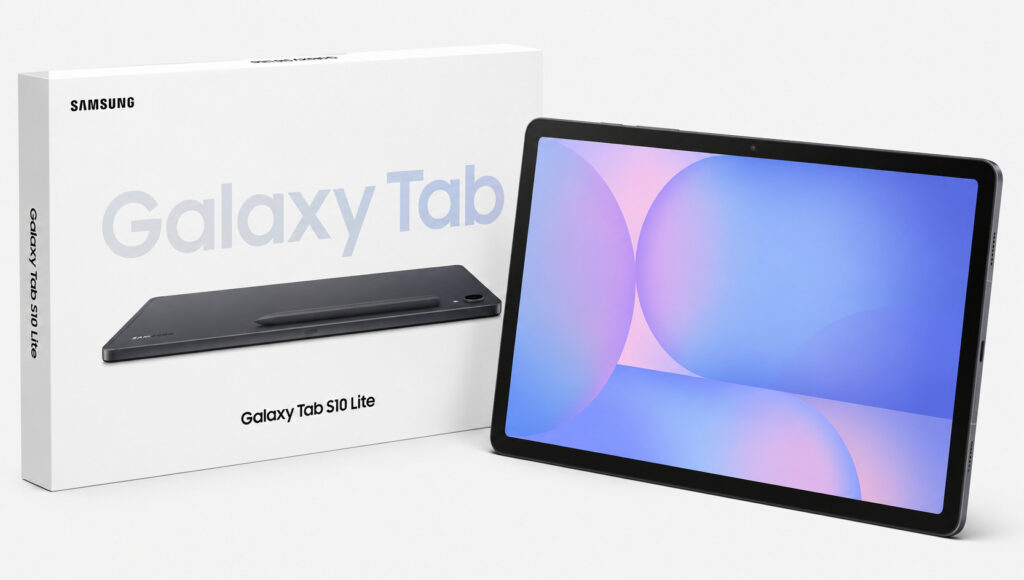
Instead of competing directly with high-end tablets, the Galaxy Tab S10 Lite is intended to provide a practical balance of features for everyday use. It is suitable for online classes, note-taking, streaming videos, browsing, office work, digital drawing, and light gaming.
Samsung has also integrated several Galaxy AI features into the software, making the tablet more useful for writing assistance, translation, productivity, and multitasking.
Samsung Galaxy Tab S10 Lite Specifications
| Specification | Details |
|---|---|
| Display | 10.9-inch WUXGA+ TFT LCD |
| Resolution | 2304 × 1440 |
| Processor | Exynos 1380 |
| RAM | 6GB / 8GB |
| Storage | 128GB / 256GB |
| Expandable Storage | Up to 2TB via microSD |
| Rear Camera | 8MP |
| Front Camera | 5MP |
| Battery | 8,000mAh |
| Charging | 25W Fast Charging |
| Operating System | Android 15 with One UI |
| Stylus | S Pen Included |
| Connectivity | Wi-Fi 6, Bluetooth 5.3, USB-C |
| Security | Face Unlock |
At first glance, these specifications position the Galaxy Tab S10 Lite as a strong contender in the mid-range tablet market.
Design and Build Quality
One of the first things you’ll notice in this Samsung Galaxy Tab S10 Lite Review is its clean and premium-inspired design. Samsung has carried over much of the styling from its flagship tablets, giving the Lite model a modern appearance with slim bezels and a minimalist metal finish.
Despite being a mid-range device, the tablet feels sturdy in hand. The aluminum construction adds durability while keeping the weight comfortable enough for extended use. Whether you’re reading an eBook, taking notes in class, or watching movies, the tablet remains comfortable to hold.
The rounded edges improve grip, and the overall build quality reflects Samsung’s experience in designing premium tablets.
Dimensions and Weight
The Galaxy Tab S10 Lite is slim enough to fit comfortably into backpacks and laptop bags. Its lightweight design makes it easy to carry for students and professionals who frequently work on the move.
Samsung has also positioned the power button and volume controls in locations that are easy to reach in both landscape and portrait orientations.
Display Review
The display is one of the most important features of any tablet, and Samsung has equipped the Galaxy Tab S10 Lite with a large 10.9-inch WUXGA+ TFT LCD panel.
Although this isn’t an AMOLED display, Samsung’s LCD panels are generally known for good color reproduction, sharpness, and brightness for indoor use.
Color Accuracy
Colors appear natural without looking oversaturated. Photos, videos, presentations, and web pages look vibrant enough for daily usage.
For students attending online classes or professionals editing documents, the display provides sufficient clarity for reading text over extended periods.
Brightness
Indoor brightness levels are excellent. Outdoor visibility remains acceptable under moderate sunlight, although it doesn’t match Samsung’s premium AMOLED tablets.
Viewing Angles
Viewing angles are wide enough for watching movies with friends or participating in video calls. Color shifting is minimal when viewed from different angles.
Multimedia Experience
The large screen makes streaming Netflix, YouTube, Disney+, and Prime Video enjoyable. Combined with stereo speakers, the tablet offers an immersive entertainment experience for its price category.
First Impressions
After spending time with the Galaxy Tab S10 Lite, the first impression is that Samsung has prioritized balance over extreme specifications.
Instead of chasing benchmark numbers, Samsung has focused on creating a reliable everyday tablet that performs consistently across common tasks.
Simple activities such as:
- Web browsing
- Video streaming
- PDF reading
- Online meetings
- Note-taking
- Microsoft Office work
- Digital sketching
- Social media
all feel smooth and responsive.
The included S Pen immediately adds value, allowing users to take handwritten notes, annotate PDFs, and create sketches without buying an additional accessory.
Performance Preview
Powering the Galaxy Tab S10 Lite is Samsung’s Exynos 1380 processor, paired with either 6GB or 8GB of RAM.
This chipset is designed for efficient multitasking rather than flagship-level gaming. Everyday apps open quickly, and switching between applications is smooth.
During regular usage, users can comfortably:
- Browse multiple Chrome tabs
- Edit Google Docs
- Join Zoom or Google Meet calls
- Watch videos while chatting
- Use Samsung Notes
- Run split-screen multitasking
We’ll examine gaming performance, benchmarks, thermal management, and real-world speed in greater detail in Part 2.
S Pen Experience
One of the strongest reasons to buy the Galaxy Tab S10 Lite is the included S Pen.
Unlike many competitors that require a separate stylus purchase, Samsung includes the S Pen in the retail package, making the tablet more attractive for students, artists, and professionals.
The S Pen delivers:
- Low-latency handwriting
- Natural drawing experience
- Pressure-sensitive input
- Precise PDF annotation
- Quick note creation
- Air Command shortcuts
- Seamless Samsung Notes integration
For classroom use, digital note-taking, brainstorming, and creative sketching, the S Pen significantly enhances productivity.
Pros and Cons
Pros
- Premium aluminum design
- Large 10.9-inch display
- S Pen included in the box
- Long battery life
- Expandable storage
- Smooth One UI software
- Excellent productivity features
- Reliable everyday performance
Cons
- TFT LCD instead of AMOLED
- Cameras are basic
- 25W charging feels modest compared to some rivals
- Not intended for demanding AAA gaming
- No official IP water-resistance rating
Performance Review
Performance is one of the most important aspects of any tablet, especially for users who plan to use it for productivity, multitasking, entertainment, and light gaming. In this Samsung Galaxy Tab S10 Lite Review, the tablet delivers reliable performance for everyday users thanks to the Exynos 1380 processor.
The Exynos 1380 is built using an efficient manufacturing process that balances performance with battery life. While it is not a flagship chipset, it is more than capable of handling daily workloads without noticeable lag.
Whether you are browsing the web, editing documents, watching YouTube videos, attending online classes, or taking handwritten notes, the Galaxy Tab S10 Lite performs smoothly.
Everyday Performance
For regular tasks, the tablet performs exceptionally well.
Daily activities include:
- Browsing with multiple Chrome tabs
- Reading PDF books
- Watching Netflix in Full HD
- Editing Word and Excel files
- Using Google Workspace
- Video conferencing on Zoom
- Samsung Notes
- Email management
- Social media browsing
App launching is quick, and One UI animations remain fluid throughout daily usage.
Multitasking Experience
Samsung has optimized One UI for larger screens, making multitasking one of the biggest strengths of the Galaxy Tab S10 Lite.
Users can comfortably run:
- Split Screen Mode
- Pop-up Windows
- Drag-and-Drop
- Multi Window
- Floating Calculator
- Samsung Notes beside Chrome
This makes the tablet excellent for students who need to read lecture notes while writing assignments simultaneously.
Professionals can edit spreadsheets while keeping email open, improving workflow efficiency.
With the 8GB RAM model, switching between apps remains smooth even after several applications are left running in the background.
Gaming Performance
Gaming performance is good for a mid-range tablet.
Although the Galaxy Tab S10 Lite is not designed as a gaming-focused device, it handles most popular Android games surprisingly well.
PUBG Mobile
PUBG Mobile runs smoothly on Medium to High graphics settings with stable frame rates.
Gameplay remains enjoyable without excessive heating.
Call of Duty Mobile
COD Mobile performs well with High graphics settings.
Touch response remains accurate, making multiplayer matches enjoyable.
Asphalt 9
Racing games look vibrant on the large display.
Frame drops are minimal during long gaming sessions.
Genshin Impact
Genshin Impact is playable at Low to Medium settings.
Heavy combat scenes may occasionally reduce frame rates, but casual players can still enjoy the experience.
Thermal Performance
One impressive aspect of the Galaxy Tab S10 Lite is thermal management.
During extended gaming sessions and video streaming, the tablet remains relatively cool.
The aluminum body helps dissipate heat efficiently, preventing uncomfortable temperatures even after an hour of gaming.
Samsung’s software optimization also contributes to consistent performance under sustained workloads.
Benchmark Performance
While benchmark scores should not be the only factor in choosing a tablet, they provide useful insight into hardware capability.
The Exynos 1380 performs competitively within the mid-range Android tablet category.
Expected benchmark performance includes:
- Strong single-core CPU performance
- Good multi-core processing
- Reliable GPU performance for casual gaming
- Fast app loading
- Smooth multitasking
Real-world usage feels more important than benchmark numbers, and Samsung has optimized One UI to make the tablet feel responsive during everyday tasks.
Software Experience
Samsung ships the Galaxy Tab S10 Lite with Android 15 and the latest version of One UI.
Samsung’s software remains one of the biggest reasons to buy a Galaxy tablet.
The interface is clean, polished, and optimized specifically for larger displays.
Useful features include:
- Taskbar
- Split Screen
- Edge Panels
- Samsung Notes
- Samsung Internet
- Secure Folder
- Samsung Kids
- Multi Control
- Nearby Share
- Quick Share
Navigation feels intuitive, even for users switching from Windows laptops.
Galaxy AI Features
Samsung has introduced several Galaxy AI features to improve productivity.
Some useful AI-powered tools include:
Note Assist
Automatically summarizes long handwritten or typed notes.
Writing Assist
Improves grammar, spelling, and sentence structure.
Circle to Search
Search anything visible on your screen simply by circling it.
Live Translation
Translate supported languages during conversations and messaging.
AI Image Editing
Basic AI editing tools help remove unwanted objects or improve photos directly on the tablet.
These AI tools enhance productivity without requiring third-party applications.
Samsung DeX Experience
Samsung DeX transforms the tablet into a desktop-like workspace.
When connected to a keyboard cover or Bluetooth keyboard and mouse, users receive a desktop interface similar to Windows.
Samsung DeX allows:
- Resizable windows
- Desktop taskbar
- File management
- Office productivity
- Multi-window applications
- Browser tabs similar to desktop PCs
Students and professionals who occasionally leave their laptop at home will appreciate the flexibility DeX provides.
Audio Quality
Samsung includes stereo speakers that deliver impressive sound quality for a tablet in this price range.
Speaker Performance
The speakers provide:
- Clear vocals
- Balanced mids
- Decent bass
- Loud maximum volume
- Minimal distortion
Watching movies, YouTube videos, and online lectures is enjoyable without external speakers.
For the best experience, wireless earbuds or Bluetooth headphones provide richer sound.
Camera Review
Most tablets are not purchased for photography, but cameras remain useful for video calls, document scanning, and occasional snapshots.
Rear Camera
The 8MP rear camera captures:
- Documents
- Whiteboards
- Classroom notes
- Outdoor images
- QR codes
Image quality is acceptable in daylight but declines under low-light conditions.
Front Camera
The 5MP selfie camera performs well for:
- Google Meet
- Zoom
- Microsoft Teams
- Online classes
- Family video calls
Samsung’s image processing helps maintain natural skin tones and adequate sharpness during video conferencing.
Battery Life Review
Battery life is one of the strongest highlights of this Samsung Galaxy Tab S10 Lite Review.
The tablet packs a large 8,000mAh battery, providing dependable endurance for everyday use.
Typical Battery Performance
With mixed usage, users can expect:
- Up to 12 hours of video playback
- Around 10–11 hours of web browsing
- A full day of note-taking and office work
- 6–8 hours of continuous gaming, depending on graphics settings
This makes the Galaxy Tab S10 Lite a reliable companion for students attending classes or professionals working away from a charger.
Charging
The tablet supports 25W wired fast charging via USB-C.
While not the fastest charging speed available in 2026, it is sufficient for topping up the battery during breaks.
A full charge takes roughly a couple of hours, making overnight charging the most convenient option.
Connectivity
Samsung equips the Galaxy Tab S10 Lite with modern connectivity options:
- Wi-Fi 6
- Bluetooth 5.3
- USB Type-C
- GPS (on supported models)
- Optional 5G variant
- microSD card expansion
Wireless connectivity remains stable during streaming, cloud storage access, and online meetings.
Security Features
The Galaxy Tab S10 Lite includes convenient security options:
- Face Unlock
- PIN
- Password
- Pattern Lock
- Samsung Knox protection
- Secure Folder
Samsung Knox adds an extra layer of protection for sensitive files and business data, making the tablet suitable for both personal and professional use.
Real-World User Experience
After extended use, the Galaxy Tab S10 Lite stands out as a dependable all-round tablet rather than a device chasing flagship specifications.
Its combination of a large display, capable processor, included S Pen, long battery life, and polished software creates a well-rounded experience for students, professionals, and casual users alike.
Whether you’re taking notes in class, attending virtual meetings, reading eBooks, sketching ideas, or relaxing with a movie, the tablet handles these tasks comfortably and consistently.
Display Experience: A Bigger Screen for Work and Entertainment
The display plays a major role in the overall user experience, and in this Samsung Galaxy Tab S10 Lite Review, it proves to be one of the tablet’s strongest selling points. Samsung has equipped the device with a 10.9-inch WUXGA+ TFT LCD display, offering a spacious canvas for productivity, media consumption, and creative work.
Although it doesn’t feature Samsung’s premium AMOLED technology, the LCD panel delivers excellent sharpness, balanced colors, and sufficient brightness for most environments.
Watching Movies and Streaming
The large display is ideal for entertainment. Streaming services like Netflix, YouTube, Disney+, and Prime Video look crisp, while the stereo speakers create an immersive viewing experience.
The slim bezels also enhance immersion by maximizing screen space without making the tablet feel oversized.
Reading and Browsing
Whether you’re reading eBooks, browsing websites, or reviewing PDF documents, text appears sharp and comfortable for extended sessions. Students and professionals will appreciate the reduced eye strain during long study or work sessions.
Creative Work
For artists and designers, the large display paired with the included S Pen provides a comfortable workspace for sketching, digital illustration, and handwritten notes.
Samsung Galaxy A36 features and specifications, price in india
Productivity with the S Pen
One of the biggest highlights in this Samsung Galaxy Tab S10 Lite Review is the included S Pen. Unlike many competing tablets that require purchasing a stylus separately, Samsung includes the S Pen in the box, increasing the overall value.
The S Pen transforms the tablet into a practical productivity device.
Vivo X500: Full Specifications, Features, Price, Launch Date & In-Depth Review
Note-Taking
Students can:
- Take handwritten lecture notes
- Organize notebooks
- Highlight PDFs
- Annotate presentations
- Convert handwriting to text
Digital Drawing
Creative users can enjoy:
- Pressure-sensitive drawing
- Low-latency writing
- Precision sketching
- Graphic design concepts
- Storyboarding
Office Productivity
Professionals benefit from:
- Signing PDF documents
- Marking presentations
- Brainstorming ideas
- Writing meeting notes
- Editing reports
For many users, the S Pen alone makes the Galaxy Tab S10 Lite a better value than similarly priced competitors.
Keyboard and Accessories
Samsung offers optional accessories that significantly enhance the tablet’s capabilities.
Book Cover Keyboard
Adding the Book Cover Keyboard transforms the Galaxy Tab S10 Lite into a lightweight laptop alternative.
Benefits include:
- Comfortable typing
- Shortcut keys
- Protective cover
- Adjustable viewing angles
- Better productivity
Bluetooth Mouse
Pairing a Bluetooth mouse with Samsung DeX creates a desktop-like working environment suitable for office tasks.
External Storage
Thanks to USB-C support, users can connect:
- USB flash drives
- External SSDs
- Card readers
- USB hubs
This makes transferring files quick and convenient.
Software Updates and Long-Term Support
Samsung has become one of the best Android manufacturers when it comes to software support.
The Galaxy Tab S10 Lite benefits from:
- Regular security updates
- Multiple Android OS upgrades
- Frequent One UI improvements
- Galaxy AI feature enhancements
Long-term software support helps keep the tablet secure, compatible with new apps, and relevant for several years, making it a worthwhile investment.
Samsung Galaxy Tab S10 Lite vs Competitors
Choosing the right tablet often comes down to comparing alternatives. Here’s how the Galaxy Tab S10 Lite stacks up against some of its biggest rivals.
Samsung Galaxy Tab S10 Lite vs Galaxy Tab S10 FE
Galaxy Tab S10 Lite
- More affordable
- Includes S Pen
- Great for students
- Reliable everyday performance
- Excellent battery life
Galaxy Tab S10 FE
- Faster processor
- Better display
- Improved cameras
- Enhanced premium features
- Higher price
Verdict: If your budget is limited, the Galaxy Tab S10 Lite offers excellent value. Users needing higher performance and premium features may prefer the Galaxy Tab S10 FE.
Samsung Galaxy Tab S10 Lite vs Xiaomi Pad Series
Samsung Advantages
- Better software optimization
- Included S Pen
- Samsung DeX
- Longer software support
- Galaxy ecosystem integration
Xiaomi Advantages
- Faster charging
- Higher refresh rate display on some models
- Competitive pricing
Samsung Galaxy Tab S10 Lite vs Lenovo Tab Series
Samsung Wins In
- Better One UI experience
- More polished multitasking
- Strong ecosystem features
- Regular updates
- Better accessory support
Samsung Galaxy Tab S10 Lite vs Apple iPad (Base Model)
Samsung Advantages
- S Pen included
- Expandable storage
- Better multitasking with DeX
- More file management flexibility
- USB-C compatibility
Apple Advantages
- Faster chipset
- Larger app ecosystem optimized for tablets
- Longer software support
- Better performance for demanding creative workloads
Verdict: Android users and Samsung ecosystem owners will appreciate the flexibility of the Galaxy Tab S10 Lite, while users invested in Apple’s ecosystem may prefer the base iPad.
Who Should Buy the Samsung Galaxy Tab S10 Lite?
After thoroughly testing the tablet, it’s clear that it is designed for a broad audience.
Students
The Galaxy Tab S10 Lite is ideal for:
- Online classes
- Handwritten notes
- PDF annotation
- Research
- Assignments
- Educational apps
Working Professionals
Professionals will appreciate:
- Microsoft Office compatibility
- Samsung DeX
- Video conferencing
- Email management
- Presentation editing
Creative Users
The included S Pen makes the tablet suitable for:
- Sketching
- Digital art
- Graphic design concepts
- Illustration practice
- Handwritten journaling
Casual Users
If your primary activities include:
- Netflix
- YouTube
- Social media
- Web browsing
- Reading
- Video calls
the Galaxy Tab S10 Lite performs these tasks effortlessly.
Who Should Skip It?
Although this tablet is impressive, it isn’t perfect for everyone.
You may want to consider a higher-end tablet if you:
- Edit professional 4K videos
- Play graphics-intensive AAA games daily
- Need OLED display quality
- Require flagship-level processing power
- Work with demanding creative software
Is the Samsung Galaxy Tab S10 Lite Worth Buying?
For most users, the answer is yes.
The Galaxy Tab S10 Lite strikes an excellent balance between price, features, and usability. Its large display, dependable performance, included S Pen, long battery life, and polished software make it one of the most appealing Android tablets in the mid-range segment.
It may not compete with flagship tablets in raw performance, but it delivers everything that students, professionals, and casual users need for everyday productivity and entertainment.
Samsung Galaxy Tab S10 Lite Price
The Samsung Galaxy Tab S10 Lite is positioned as a premium mid-range Android tablet, offering an excellent balance between affordability and flagship-inspired features. Depending on the RAM, storage, and connectivity option (Wi-Fi or 5G), the pricing varies slightly.
Although it costs more than entry-level Android tablets, the inclusion of the S Pen, Samsung DeX, Galaxy AI features, and long-term software support significantly increases its value.
For buyers looking for a productivity-focused Android tablet without spending flagship-level money, the Galaxy Tab S10 Lite is one of the strongest options currently available.
Value for Money
A major takeaway from this Samsung Galaxy Tab S10 Lite Review is that Samsung has focused on delivering practical value rather than chasing high-end specifications.
Here’s what you receive for the price:
- Premium aluminum build quality
- Large 10.9-inch display
- Included S Pen
- Samsung DeX desktop mode
- Galaxy AI productivity features
- Long-lasting battery
- Expandable storage via microSD
- Reliable software support
- One UI optimized for tablets
- Samsung Knox security
When compared with similarly priced competitors, the included S Pen alone represents significant savings since many brands sell stylus accessories separately.
For students, educators, office workers, and casual creators, the Galaxy Tab S10 Lite offers excellent overall value.
Samsung Galaxy Tab S10 Lite Pros and Cons
Pros
- Premium metal construction
- Lightweight and portable
- Large 10.9-inch display
- S Pen included in the box
- Excellent battery life
- Expandable storage up to 2TB
- Smooth One UI software
- Samsung DeX support
- Galaxy AI features
- Good multitasking capabilities
- Reliable performance for daily use
- Strong software update policy
- Stereo speakers
- USB Type-C connectivity
Cons
- TFT LCD instead of AMOLED
- Charging speed could be faster
- Cameras are average
- Not designed for intensive AAA gaming
- Keyboard cover sold separately
- No official IP water resistance
Final Verdict
After completing this comprehensive Samsung Galaxy Tab S10 Lite Review, it’s clear that Samsung has created a well-rounded tablet aimed at users who prioritize productivity, entertainment, and long-term usability.
The Galaxy Tab S10 Lite isn’t trying to outperform flagship tablets in raw processing power. Instead, it delivers a balanced experience with thoughtful features such as the included S Pen, Samsung DeX, Galaxy AI tools, dependable battery life, and polished One UI software.
For students, professionals, and everyday users, these features matter far more than benchmark scores.
If your daily workflow includes note-taking, document editing, streaming videos, online learning, browsing, and light creative work, the Galaxy Tab S10 Lite performs these tasks confidently.
The tablet also benefits from Samsung’s strong ecosystem, allowing seamless integration with Galaxy smartphones, earbuds, watches, and laptops.
Overall, the Galaxy Tab S10 Lite earns its place as one of the best mid-range Android tablets available, offering excellent value without compromising the essentials.
Frequently Asked Questions (FAQs)
Is the Samsung Galaxy Tab S10 Lite good for students?
Yes. The included S Pen, long battery life, large display, and multitasking features make it an excellent choice for note-taking, online classes, PDF annotation, and assignments.
Is the Samsung Galaxy Tab S10 Lite good for gaming?
Yes, for casual and moderate gaming. Titles like PUBG Mobile, Call of Duty: Mobile, Asphalt 9, and similar games run smoothly. However, demanding games such as Genshin Impact are best played at lower graphics settings.
Does the Samsung Galaxy Tab S10 Lite include an S Pen?
Yes. Samsung includes the S Pen in the retail box, making it a great value compared to tablets where the stylus is sold separately.
Can the Samsung Galaxy Tab S10 Lite replace a laptop?
For many everyday tasks, yes. With Samsung DeX, a Bluetooth keyboard, and mouse, it can handle document editing, presentations, emails, web browsing, video conferencing, and multitasking effectively. Users with advanced professional workloads may still prefer a traditional laptop.
Does the Galaxy Tab S10 Lite support expandable storage?
Yes. It supports microSD cards, allowing you to expand storage for photos, videos, documents, and apps.
Is the Samsung Galaxy Tab S10 Lite worth buying?
Yes. If you’re looking for a dependable Android tablet with a large display, included S Pen, excellent battery life, Samsung DeX, and a polished software experience, it represents strong value for its price.
Conclusion
The Samsung Galaxy Tab S10 Lite Review shows that this tablet successfully balances performance, portability, and productivity. Samsung has focused on features that matter most to everyday users rather than simply increasing benchmark numbers.
Its premium design, spacious display, responsive software, included S Pen, long battery life, and useful Galaxy AI features make it suitable for students, professionals, and families alike.
While it doesn’t aim to compete with flagship tablets in every area, it delivers a polished and reliable experience for the majority of users. If your priorities include note-taking, media consumption, multitasking, and light creative work, the Galaxy Tab S10 Lite is a smart investment.
Whether you’re upgrading from an older Android tablet or purchasing your first productivity-focused device, the Galaxy Tab S10 Lite stands out as one of the best choices in the mid-range segment.
Thank you for reading this comprehensive Samsung Galaxy Tab S10 Lite Review. We hope it helps you make an informed buying decision.